Zoho Social vs PosterMyWall: Which Platform Works Best for Your Marketing?
Last Updated:
Choosing the right marketing platform is essential, and both Zoho Social and PosterMyWall stand out for different reasons. Zoho Social excels in social media management and analytics, while PosterMyWall offers an all-in-one design solution that simplifies content creation, scheduling, email marketing, and performance tracking. Here's a detailed comparison to help you make an informed decision.
Platform Overview
Zoho Social
-
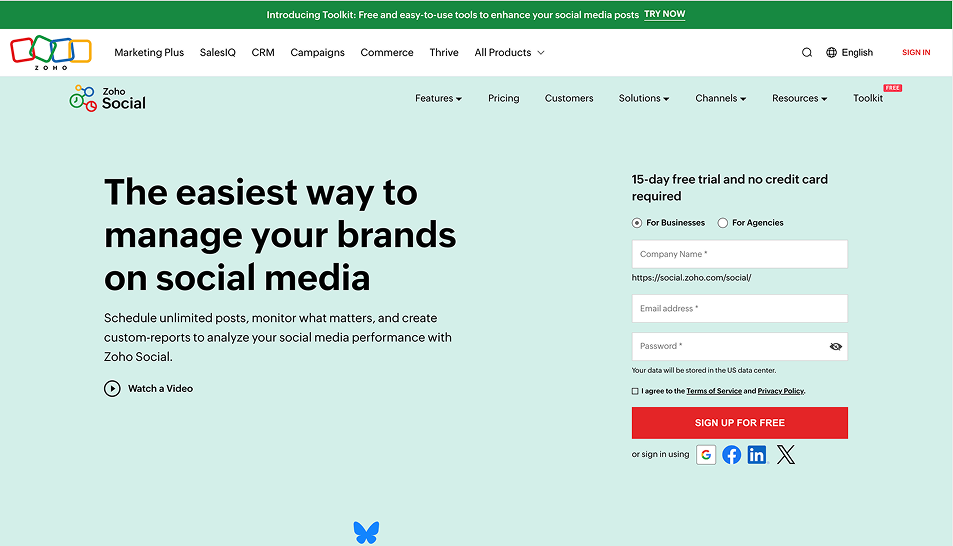
Ideal for Social Media Managers: Zoho Social is perfect for businesses with a dedicated social media team. It’s designed to handle multiple social media profiles, from Facebook and Instagram to LinkedIn, Twitter, and Google My Business. The platform is focused on managing social media content, interactions, and performance, making it an excellent tool for businesses looking to streamline their social media marketing efforts. If your primary goal is growing your social presence through organized scheduling, engagement, and analytics, Zoho Social is built to meet those needs.
-
Tailored for Teams and Agencies: Zoho Social provides excellent team collaboration features, such as multi-user access, roles and permissions, and approval workflows. This makes it easy for agencies or large teams to coordinate and manage clients' social media content. Teams can work together on content creation, review posts before they go live, and ensure that everything aligns with brand guidelines, making it ideal for agencies managing multiple clients simultaneously.
-
Robust Analytics & Reporting: Zoho Social's analytics capabilities are comprehensive, offering in-depth performance tracking for every post. You can analyze metrics like engagement, reach, follower growth, and interactions, and use the platform’s data to inform future campaigns. Social listening tools allow you to track mentions of your brand and industry keywords, while competitor analysis helps you benchmark your performance against your competitors.
PosterMyWall
-
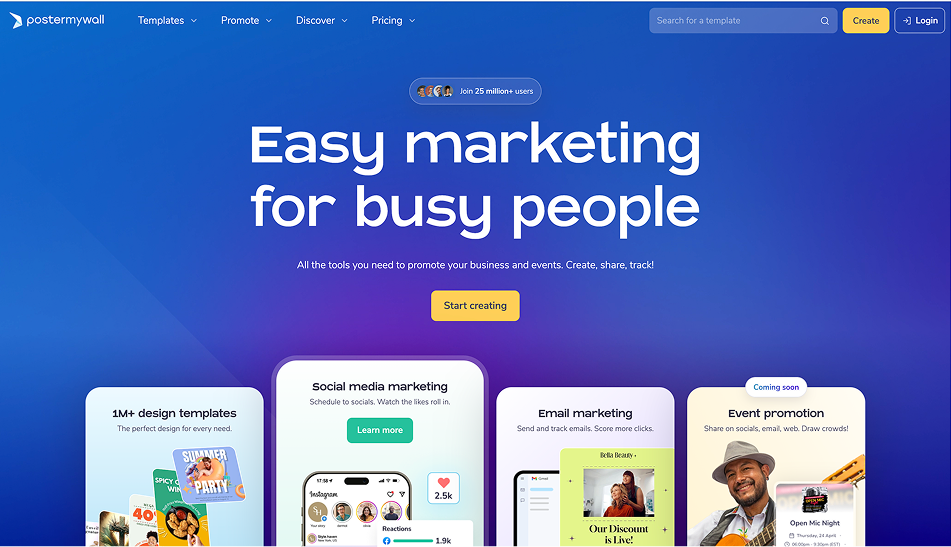
All-in-One Marketing Hub: PosterMyWall offers an integrated approach to marketing by combining content creation, publishing, and email marketing in one platform. It’s especially useful for small businesses or solopreneurs who need a simple yet powerful tool to handle all aspects of their marketing campaigns. Whether you’re designing a social media post, sending out an email campaign, or scheduling posts, PosterMyWall centralizes all of these tasks in one place. This eliminates the need for multiple tools, saving you time and ensuring consistency across channels.
-
Design-First Platform: PosterMyWall is built around the idea of empowering users to create high-quality designs with minimal effort. The platform's design-first approach makes it ideal for marketers who want to create visually appealing marketing content but may not have advanced graphic design skills. Its drag-and-drop editor and thousands of customizable templates allow you to quickly produce professional content without any prior design experience.
-
Perfect for Small Businesses: PosterMyWall is designed with small businesses and local marketers in mind. It offers a cost-effective way to manage all your marketing needs, especially for those who wear multiple hats and need a platform that simplifies the process. Whether you’re running an e-commerce business or a local restaurant, PosterMyWall’s easy-to-use interface helps you create and share marketing content efficiently.
Design Features
PosterMyWall
-
2M+ Templates: PosterMyWall offers an extensive library of over 2 million customizable templates designed for virtually every marketing scenario, from social media posts and email banners to flyers, posters, and even digital signage content. This large library ensures that no matter your industry or use case, you’ll find a template that works. Each template is fully customizable, so you can adjust colors, fonts, and images to match your brand’s look and feel.
-
Drag-and-Drop Editor: PosterMyWall's drag-and-drop editor is incredibly user-friendly and designed for speed and ease. Users can create professional-quality designs by simply dragging and dropping elements like text boxes, images, logos, and other design elements onto the canvas. This intuitive tool supports layering, enabling users to create multi-layered designs that look polished and professional.
-
AI Background Remover: PosterMyWall’s AI-powered background remover makes it incredibly easy to isolate subjects from their backgrounds in photos. Whether you're working with product images or event photos, you can quickly remove unwanted backgrounds and create cleaner, more polished visuals. This tool is especially useful for e-commerce businesses or anyone who wants to create standout graphics for social media without needing advanced design skills.
Zoho Social
-
No Built-In Design Tools: Zoho Social does not offer built-in design functionality, so users need to create visuals using third-party tools like Canva, Adobe Express, or Photoshop. While Zoho Social excels at scheduling and managing social media content, you’ll need to use external tools to create designs, which adds an extra step to the process. However, this gives users the flexibility to use advanced design tools they may already be familiar with.
-
Media Asset Library: Zoho Social includes a media asset library where you can store and organize all your approved images, videos, and other media. This feature ensures that your team has easy access to a centralized collection of media, helping maintain consistency across your posts. With this, social media managers and teams can quickly find the right assets for their scheduled posts.
Social Media Scheduling & Publishing
Zoho Social
-
Content Calendar: The content calendar in Zoho Social provides a visual way to plan and schedule your social media posts. It lets you view your upcoming posts across multiple social networks and make adjustments as needed. The calendar view helps with planning long-term campaigns, ensuring consistency and effective scheduling across platforms. You can also schedule posts at optimal times based on when your audience is most active.
-
Approval Workflows: Zoho Social’s approval workflows are invaluable for teams working collaboratively on social media campaigns. You can set up multiple levels of approval, ensuring that content goes through a review process before it’s published. This helps maintain high-quality posts and ensures that all content aligns with your brand’s voice and standards. It’s especially useful for agencies or businesses with multiple stakeholders involved in content creation.
-
Cross-Platform Publishing: Zoho Social enables you to publish posts across multiple platforms, including Facebook, Instagram, LinkedIn, Twitter, and Google My Business, from a single place. You can also customize each post to fit the requirements of each platform, such as adjusting the image sizes or tailoring the caption to suit the platform's audience. This feature saves time and ensures that you maintain a consistent brand presence on all social media networks.
PosterMyWall
-
Design & Publish in One Go: PosterMyWall's integrated design and scheduling feature makes it easy to create, schedule, and publish content all within the same platform. After designing a post, you can directly set the date and time for it to be published on social media. This eliminates the need to export files and upload them to other scheduling tools, simplifying your workflow and saving valuable time.
-
Auto-Publish to Major Platforms: PosterMyWall supports auto-publishing to major platforms like Facebook, Instagram, LinkedIn, and Twitter. You can schedule your posts in advance and let the platform handle the publishing process, freeing up time to focus on other marketing tasks. The auto-publish feature helps ensure that your posts go live at the perfect time for maximum engagement.
-
Drag-and-Drop Scheduling: The visual content calendar in PosterMyWall allows you to drag and drop posts to reschedule them quickly. Whether you're planning a weekly or monthly campaign, the drag-and-drop functionality helps you stay organized and adapt to changing circumstances. It’s especially useful for businesses running multiple campaigns simultaneously.
Email Marketing
PosterMyWall
-
Responsive Email Builder: PosterMyWall’s email builder lets you design visually compelling email newsletters, event invitations, and promotional emails. The platform’s responsive design ensures that your emails look great on any device, from desktop to mobile, which is essential for maximizing engagement.
-
List Management & Segmentation: PosterMyWall allows you to import and manage your email lists, which can then be segmented based on criteria like demographics, location, or purchasing behavior. This segmentation makes your email campaigns more targeted and personalized, resulting in higher engagement rates.
-
Campaign Integration: You can manage both your social media and email marketing campaigns from one dashboard, streamlining your workflow. The integration allows you to synchronize your content strategy, ensuring that email promotions align with social media posts for a unified marketing approach.
Zoho Social
-
No Email Marketing Features: Zoho Social focuses purely on social media management, so it lacks built-in email marketing tools. If email marketing is a priority, you’ll need to integrate Zoho Social with Zoho Campaigns or use a separate email marketing platform like Mailchimp, ConvertKit, or Constant Contact.
Collaboration & Workflow
Zoho Social
-
Team Roles & Permissions: Zoho Social offers customizable team roles, allowing you to assign specific permissions to users based on their responsibilities. For example, you can give content creators editing access, while approvers can review and approve posts before they go live. This ensures smooth collaboration and reduces the risk of errors.
-
Shared Media Library: With Zoho Social’s media library, teams can store, access, and reuse media assets across campaigns. This helps maintain a consistent visual identity across all posts and makes it easy for teams to find approved images and videos for use in their content.
-
Comments & Internal Notes: Zoho Social allows teams to add internal comments and notes on posts, making collaboration easier. This feature is particularly useful when multiple team members are involved in content creation, allowing them to share ideas, feedback, and updates within the platform.
PosterMyWall
-
Team Collaboration Features: PosterMyWall supports team collaboration by allowing users to share design folders. This way, team members can work together on campaigns by accessing the latest designs, making real-time changes, and giving feedback directly on the design itself.
-
Granular Permissions: PosterMyWall provides granular permissions, which allow you to set specific access levels for each team member. Whether you need to give someone view-only access or allow them to edit and publish content, granular permissions ensure your team works efficiently while maintaining control over the design process.
-
Brand Kits: PosterMyWall’s brand kit feature helps ensure consistency across all designs. You can lock specific brand elements like logos, colors, and fonts, so they can’t be altered, making sure your marketing materials always align with your brand’s visual guidelines.
Analytics & Reporting
Zoho Social
-
Detailed Analytics: Zoho Social provides detailed reporting and analytics that track key metrics such as engagement rates, reach, follower growth, and interactions. You can also filter analytics by platform, campaign, or date range to understand what’s working and what needs improvement.
-
Social Listening & Competitor Tracking: The platform offers robust social listening tools that allow you to monitor brand mentions, track hashtags, and analyze competitor activity. This helps you stay informed about trends, conversations, and your competitors' strategies, enabling you to refine your social media approach.
-
Custom Reports: Zoho Social allows you to create custom reports that highlight specific metrics or KPIs important to your business. These reports can be shared with clients or stakeholders, and can be white-labeled to maintain a professional appearance.
PosterMyWall
-
Post-Level Metrics: PosterMyWall provides detailed performance metrics for each post, including likes, shares, comments, and impressions. This data helps you understand which types of content resonate with your audience, allowing you to optimize future posts.
-
Email Campaign Stats: The platform tracks the success of your email campaigns, providing metrics such as open rates, click-through rates, unsubscribes, and more. These insights enable you to refine your email marketing strategy for better results.
-
Template Performance Reports: PosterMyWall provides analytics for the templates you use, showing which designs are driving the most engagement. This feature helps you make data-driven decisions about which types of visuals work best for your audience.
Zoho Social vs PosterMyWall Comparison Table
Feature | Zoho Social | PosterMyWall |
Design Tools | No built-in design tools | 2M+ templates, drag-and-drop editor, AI background remover |
Social Media Scheduling | Content calendar, multi-platform publishing | Design and schedule in one, visual calendar, auto-publish |
Email Marketing | No email marketing features | Responsive email builder, list management, campaign tracking |
Analytics & Reporting | Detailed social media analytics, competitor tracking | Post-level metrics, email campaign stats, template performance |
Team Collaboration | Team roles & permissions, shared media library | Team folders, granular permissions, brand kits |
Specialized Features | Social listening, competitor benchmarking | Digital signage design, print-ready designs, schedule maker |
Ideal For | Agencies, social media managers, large teams | Small businesses, solopreneurs, local marketers |
Conclusion
If your focus is on managing multiple social media profiles, tracking performance, and collaborating with a team, Zoho Social is an excellent choice. It’s ideal for businesses and agencies looking to streamline their social media management and reporting.
For businesses looking for an all-in-one solution that allows you to design, schedule, publish, and track both social media and email campaigns, PosterMyWall is the better choice. It’s especially well-suited for small businesses and marketers who want to create engaging marketing content without relying on multiple tools.